
You can add icons for your preferred social media profiles, such as Facebook, Twitter, Youtube, and more. These social media icons will then show up on your microsite.
-
Go to your Microsite
-
Click** Edit**.
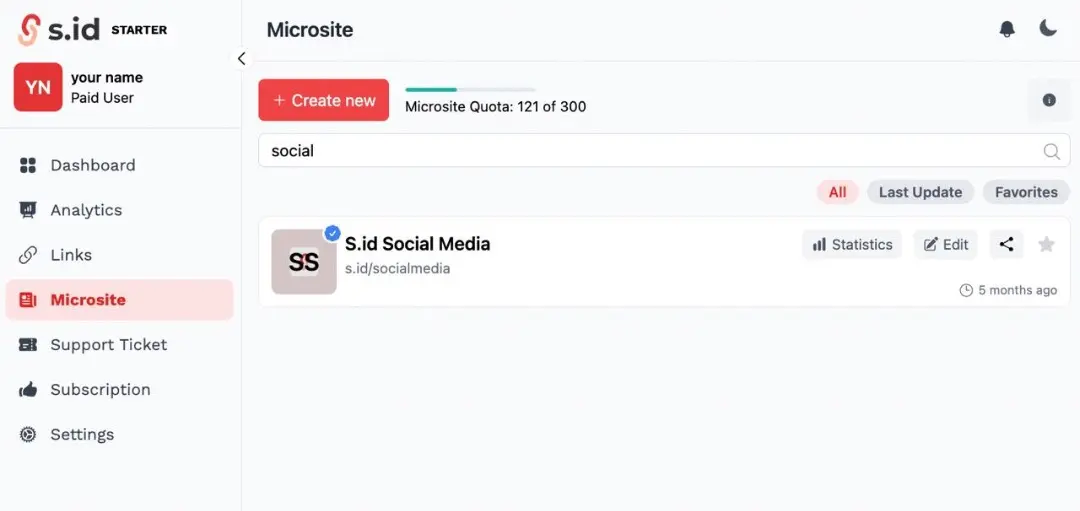
-
Scroll down until you find a Horizontal Link.
-
Enter your social media links, and the results will appear as icons. Make sure the link you entered is correct so that visitors can go directly to your social media.
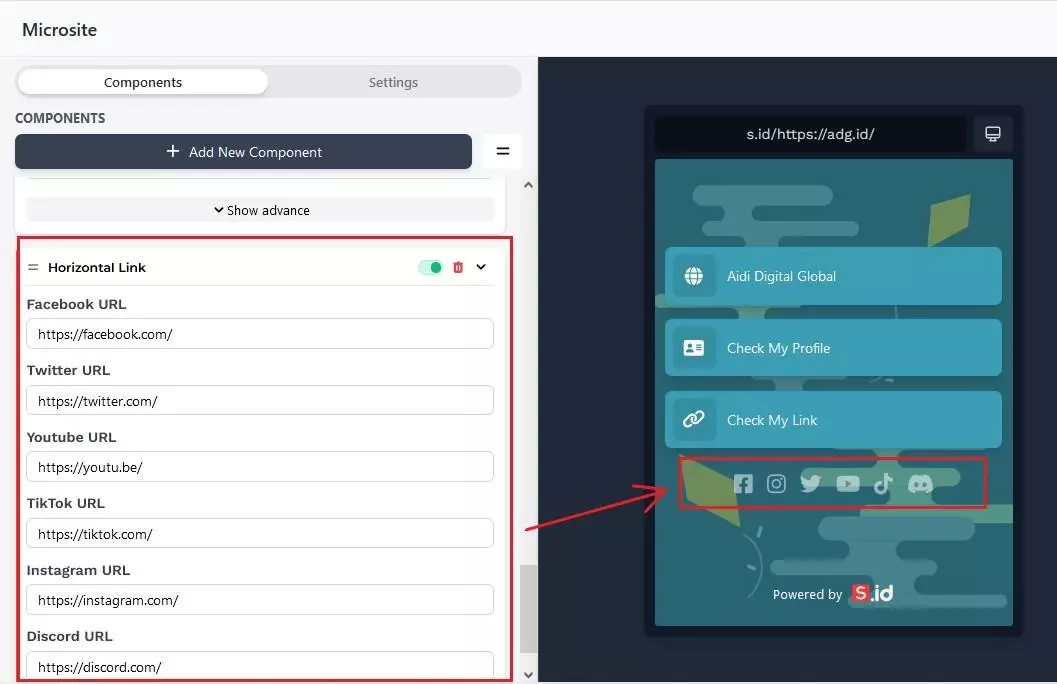
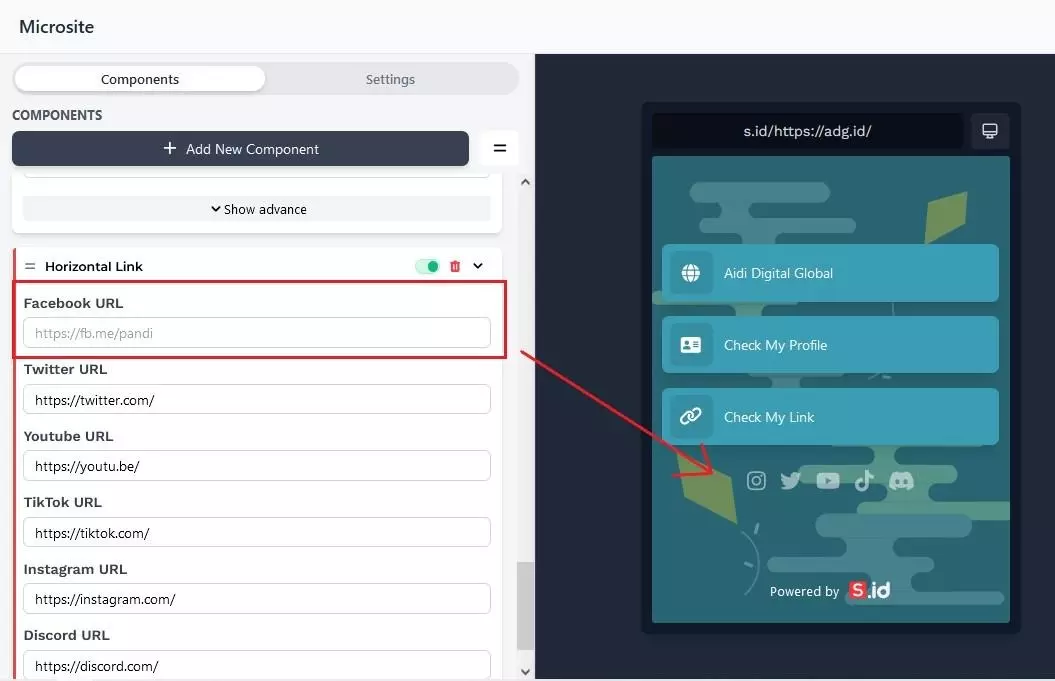
- If you didn’t have/want to display some of the URLs, Just set it to blank.
- If you want more than 1 Horizontal Link, you can Add New Component > Choose Horizontal.