
Creating a microsite is very easy.
-
Login to your existing S.id account.
-
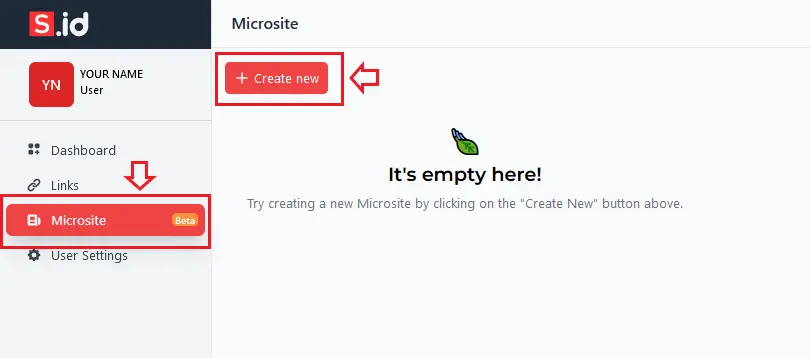
From the sidebar menu, Click **Microsite **and then click Create New.
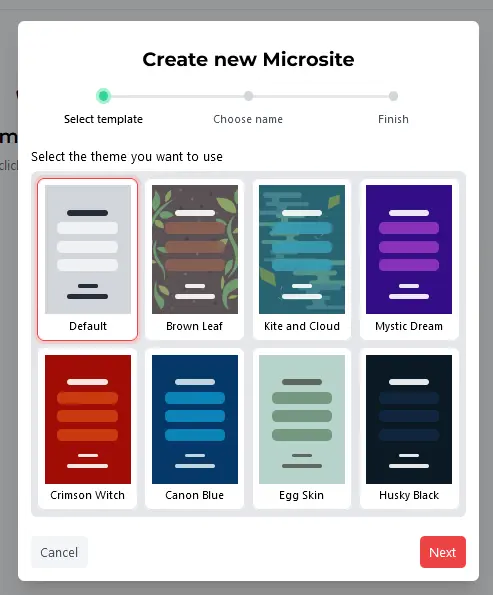
- Choose one microsite theme and click Next.
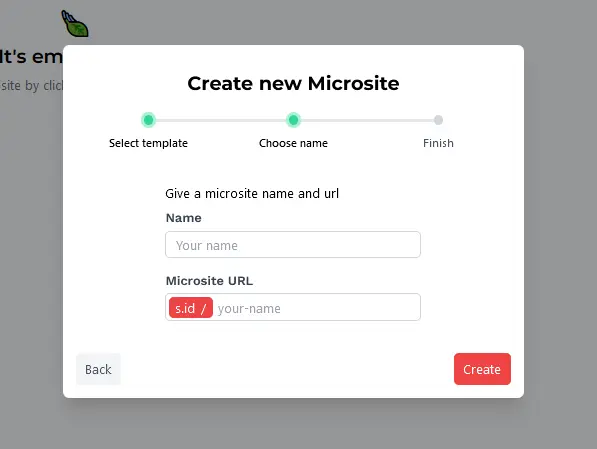
- Enter your microsite Name and **URL **then click Create.
- Finally, start adding other components through the Microsite feature.
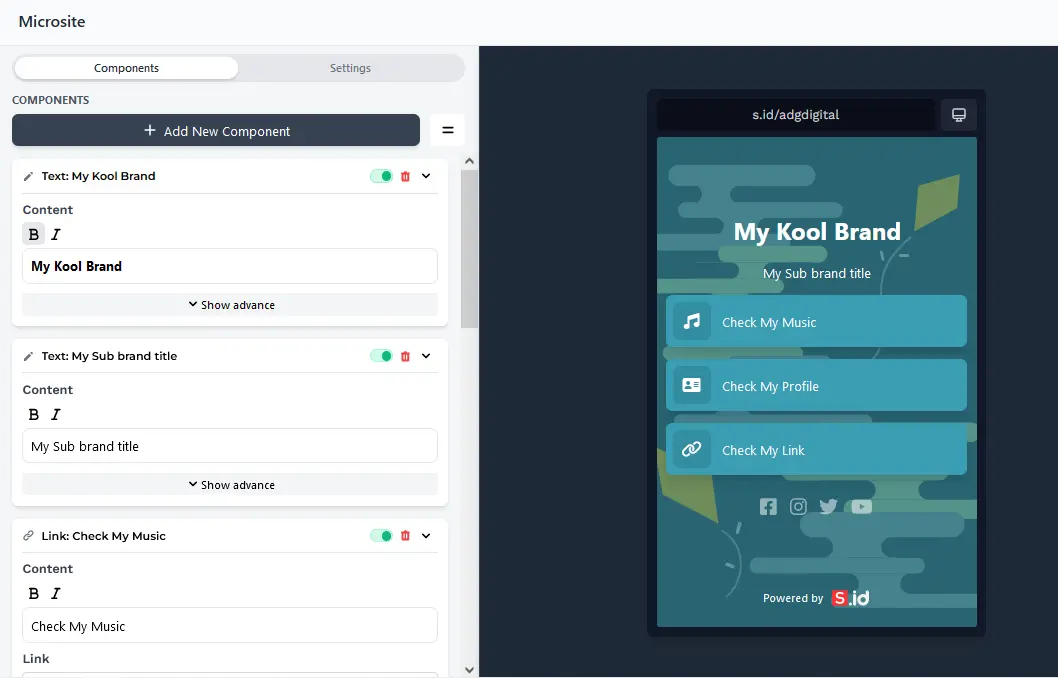
Congratulations! Anyone opening your URL will now see your microsites. See microsites features below:
- Microsites Component Text
- Microsites Component Link
- Microsites Component Image
- Microsites Component Videos
- Microsites Component Horizontal Link
- How to change Microsites Font?
- How to change Microsites Theme and Background Styles?
- How to change Microsites Button?