
Hi s.id friends,
If you want to upgrade your s.id service to the service above it is very easy, here are the steps:
-
Login to the s.id "Dashboard"
-
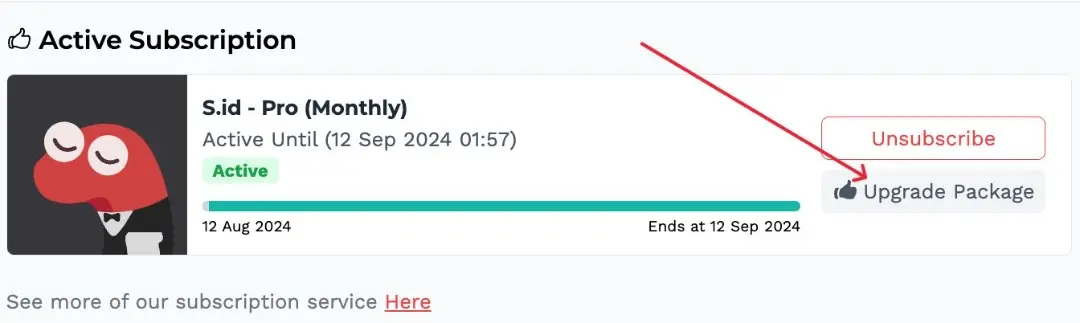
On the menu select "Subscription"
- Then select "Upgrade Service"
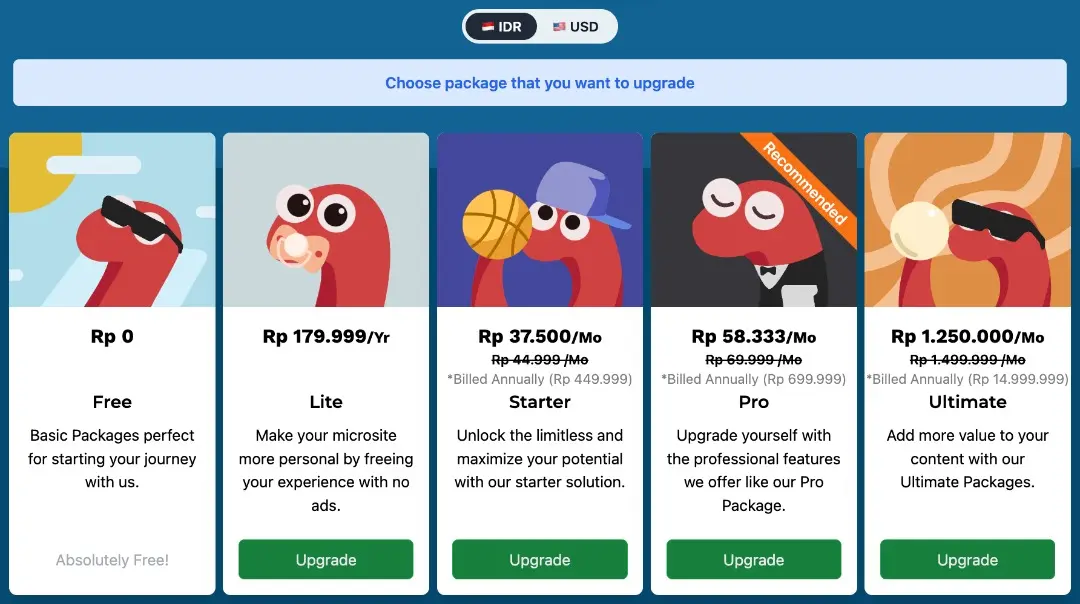
- Select the service you want then click "Upgrade" (Note: cannot downgrade packages)
Hopefully it helps friends, if you have further questions, you can contact helpdesk@s.id