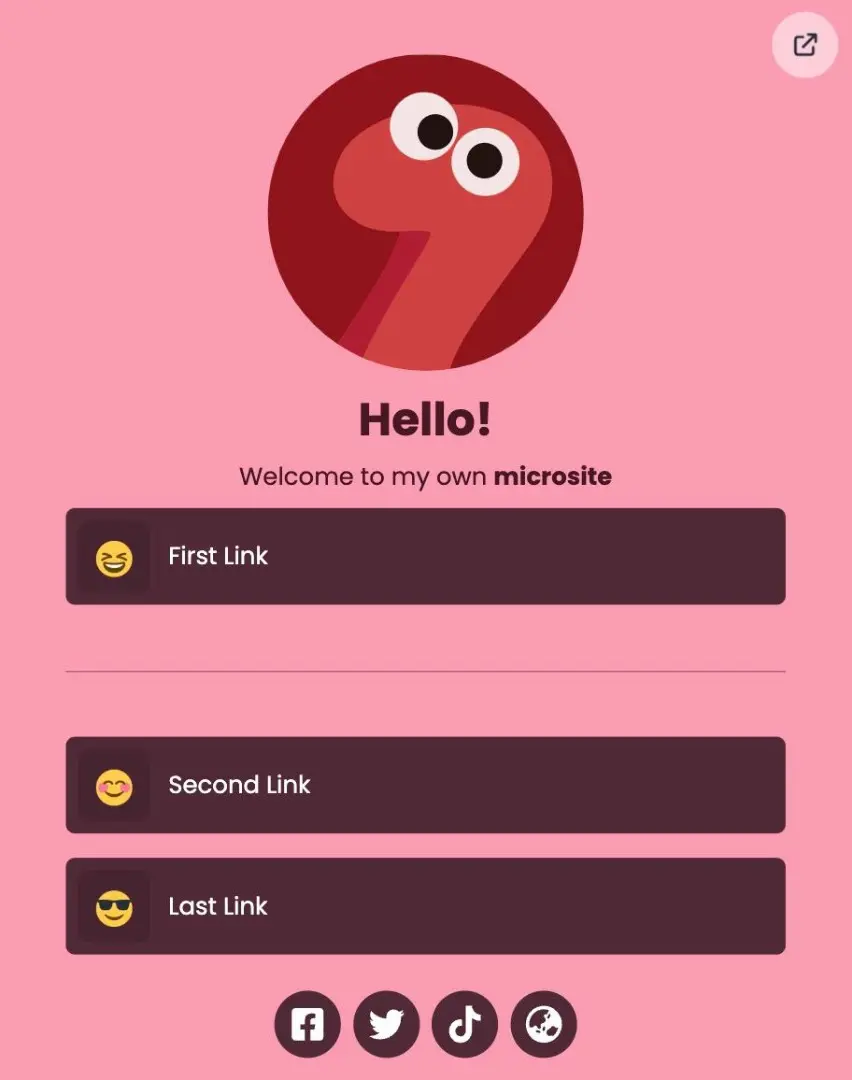
Divider or separator are components in a Microsite that are used to provide distance between components in your microsite view.
Here's how to use the divider on Microsite :
-
Login to your s.id account and go to the Dashboard
-
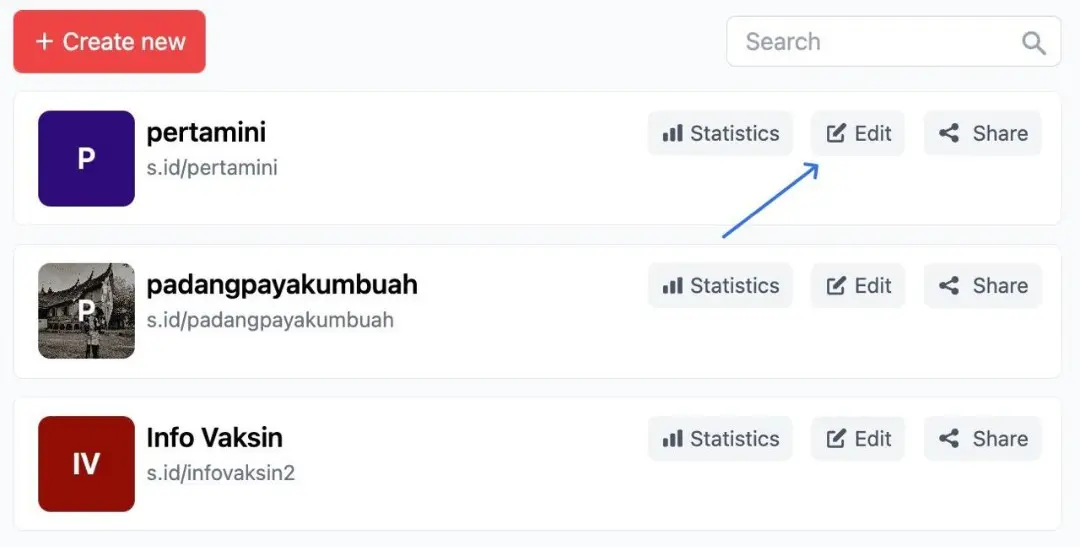
Select the Microsite menu and click edit
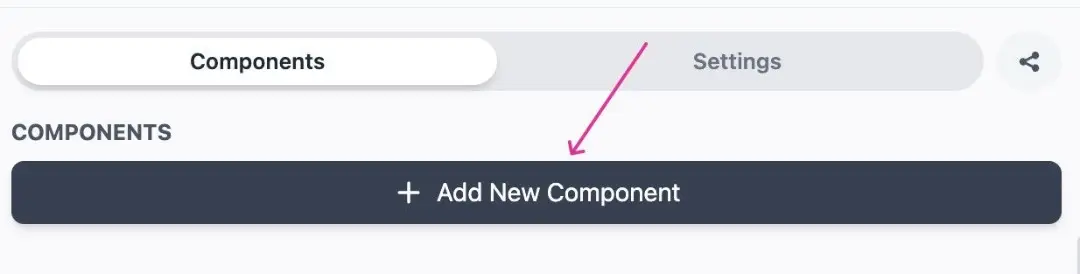
- Then select** "Add New Component"**
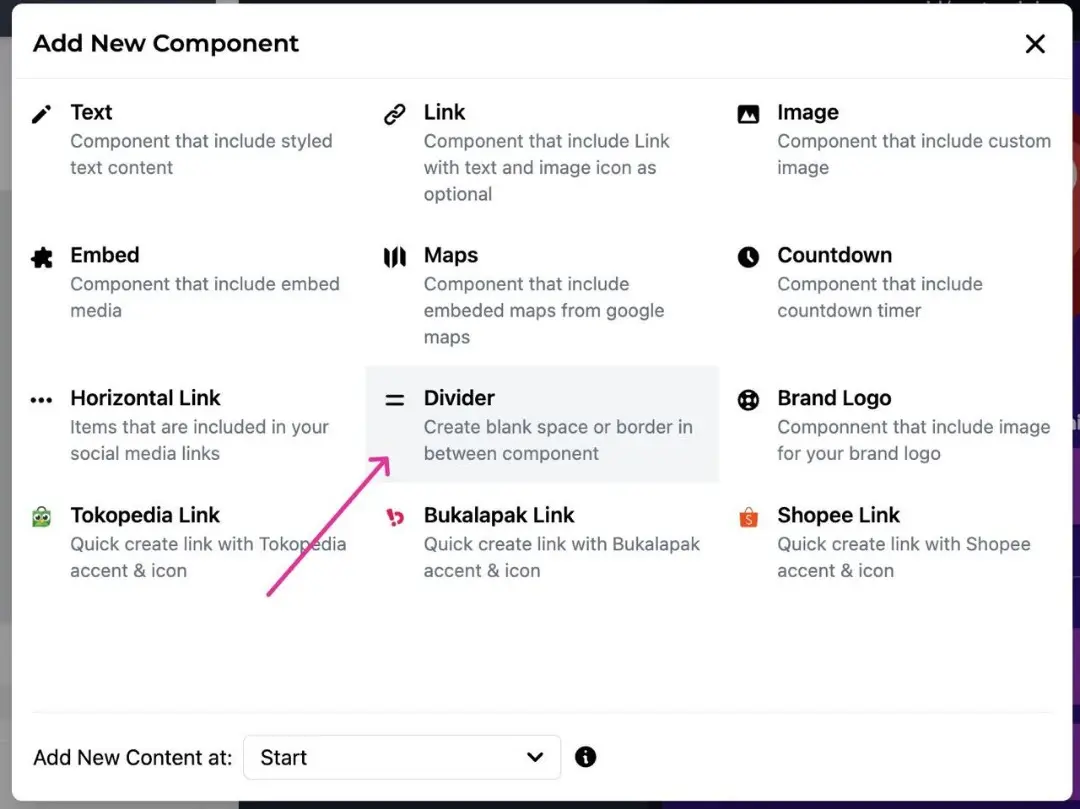
- Select Divider
- You can move the Divider component by Dragging the component according to its position
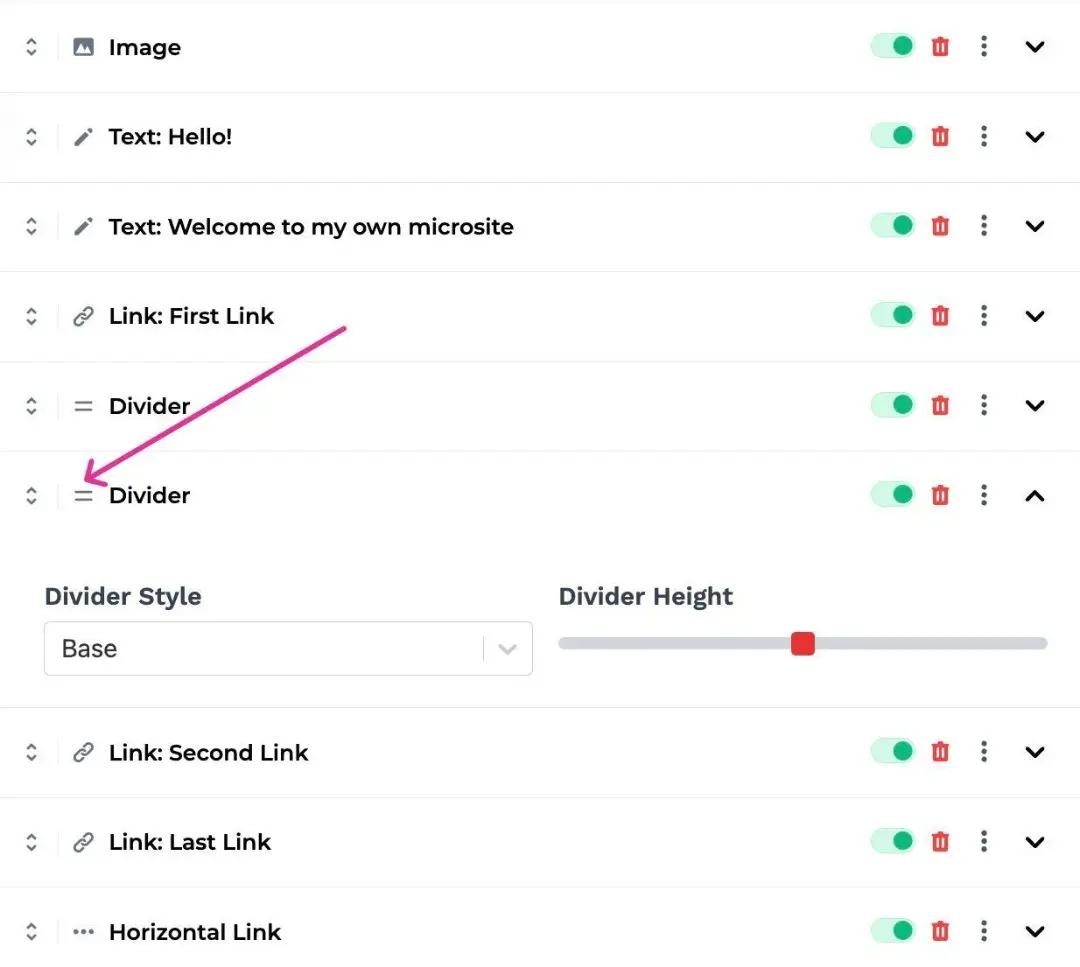
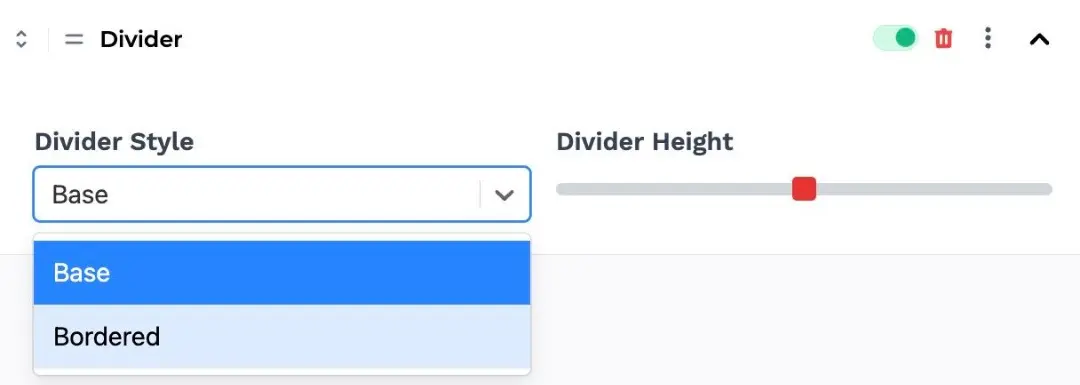
- You can also set the type of separator** "Base"** or "Bordered" (line), as well as the short length of the dividing distance between components using the "Divider Height" menu
Here is an example of a Microsite using the Bordered divider