
How to Create a Custom Link Using Your Own Name with s.id
Have you ever shared a social media profile link or a Google Form link that was too long and messy? Links from Instagram, TikTok, Facebook, Twitter (X), and Google Forms often contain random letters and numbers, making them difficult to remember, type, and share. So, where can you create a link using your own name?
With s.id, you can easily do that! s.id allows you to turn long links from Instagram, TikTok, Facebook, Twitter (X), Google Forms, or other platforms into short, personalized links using your preferred name. However, you need to log in to your s.id account first.
Here are some examples of how your links can be transformed (the URLs below are for illustration purposes only):
- Instagram:
https://www.instagram.com/yourname/becomess.id/ig-yourname - TikTok:
https://www.tiktok.com/@yournamebecomess.id/tiktok-yourname - Facebook:
https://www.facebook.com/profile.php?id=100012345678901becomess.id/fb-yourname - Twitter (X):
https://twitter.com/yournamebecomess.id/twitter-yourname - Google Forms:
https://docs.google.com/forms/d/e/1FAIpQLSdExample1A2b3C4d5E6f7G8/viewformbecomess.id/event-registration
Here's how to create your personalized link, from accessing s.id to saving your preferred custom URL.
Step-by-Step Guide to Creating a Custom Link with s.id
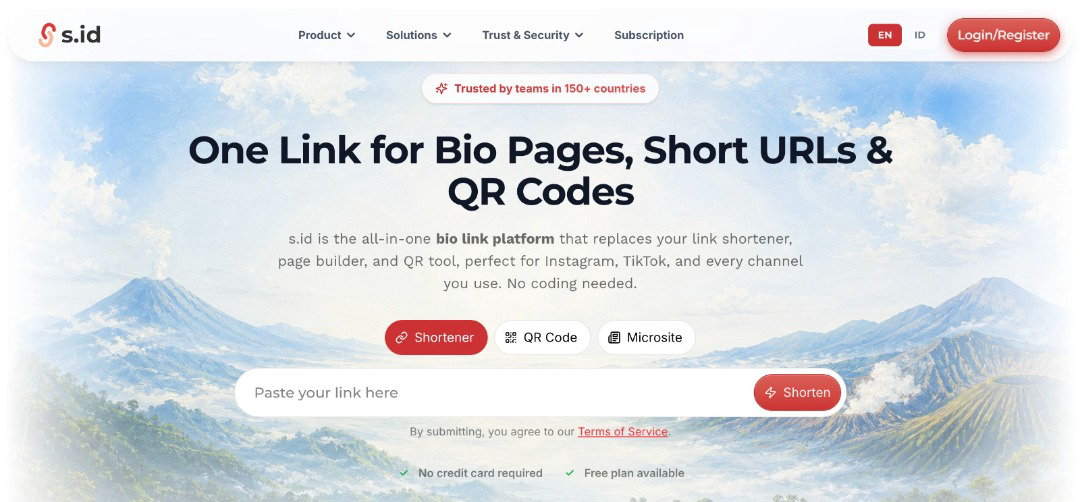
- Open a browser on your smartphone or laptop, then search for s.id in the search bar.
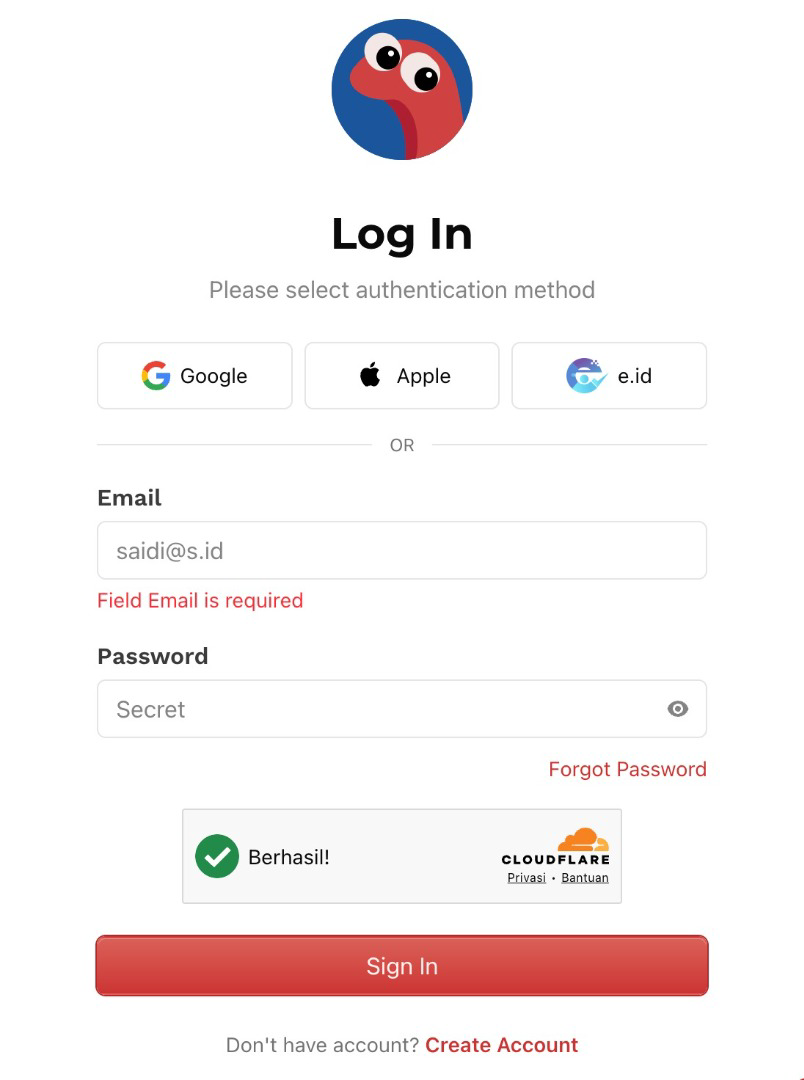
- Log in to your account first. If you don't have an account yet, sign up and log in using your new account.
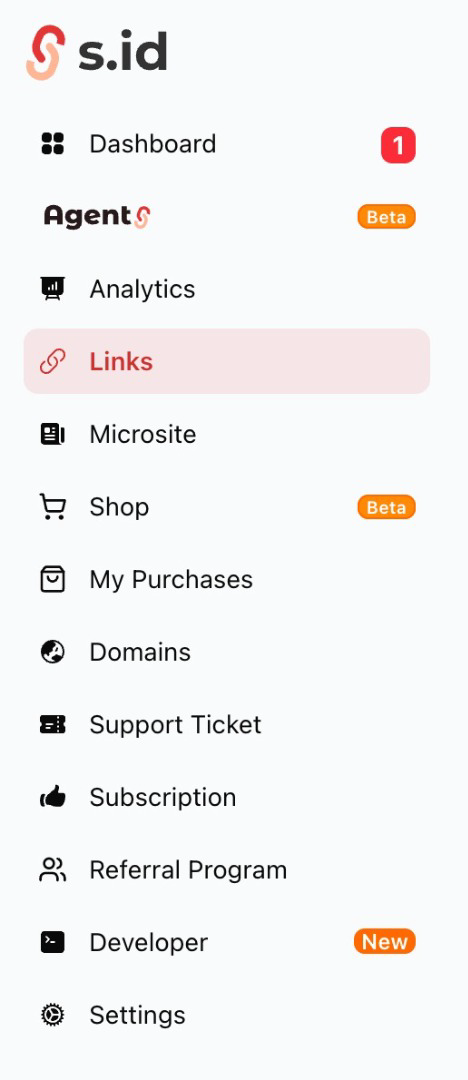
- Once you're logged in to your s.id dashboard, open the Links menu.
- Paste your long URL into the available field.

- Click Shorten!
- Once your shortened link appears, click Details, then select Edit.
- In the Short URL section, replace the default URL with your preferred custom name, such as
ig-saidi. Keep in mind that your chosen name must be available and not already used by someone else.
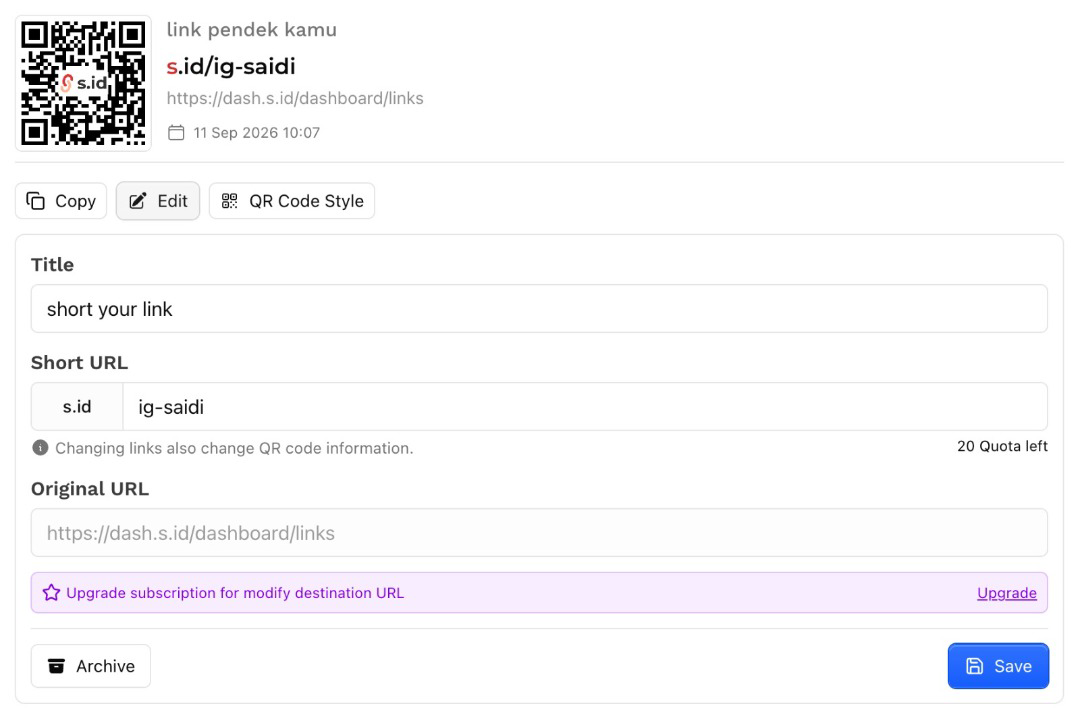
- Click Save.
- Copy your new link and open it in a new browser tab to make sure it works correctly.
Congratulations! You've successfully created a personalized short link using your own name. You can now share it as a shortened URL or through a QR code.
Please note that menu names and interface layouts may vary slightly as the platform continues to update its features. However, the process remains the same: log in, paste your URL into the Shortener, shorten it, and customize your Short URL through the Details section.
Tips for Choosing a Good Custom Link Name
- Keep it short and clear. For example,
ig-saidi. - Use hyphens (-) to separate words. For example,
class-feedback-form. - Use lowercase letters to make your link easier to type, such as
national-seminar. - Avoid complicated characters or excessively long names. For example,
event_registration_form_2026_final_revisionis not recommended. - Make sure your custom link matches its destination. For example, use
product-catalogfor a link directing users to your product catalog.
Common Issues and How to Fix Them
Your preferred custom link name is unavailable. This usually means someone else is already using it. Try adding a unique word or identifier, such as school-event-registration.
The custom URL field doesn't appear. You may not be logged in to your account. Make sure you've signed in to s.id before attempting to customize your link.
Your shortened link doesn't work. The original URL may not have been copied completely. Try copying the full URL again and creating a new shortened link.
People frequently mistype your custom link. Your link name might be too complicated. Choose a shorter, simpler name that's easier to remember and type.
Conclusion
Creating a custom link with your own name using s.id only takes a few minutes, but it can make a big difference. Your links become cleaner, easier to remember, and more professional.
Whether you're sharing your social media profiles, Google Forms, event registrations, or business pages, a personalized short link makes everything easier to access and share.
Ready to create your own custom link? Visit s.id, create your first personalized link, and choose a name that best represents your content.
Happy linking!